
Markdown to Word
A .docx your colleagues can keep editing — with proper styles instead of pasted formatting.
Drop files or a folder
.md · .docx · .tex · .pdf · .zip — include images and refs.bib
The PDF is re-typeset in the style you choose — headings, lists, tables, pictures and text colors are kept.
If ticked, this PDF is sent to SoMark's free recognition service (free-oxr.somark.ai); this usually takes 30–90 seconds. Unticked, it stays on this site. Privacy
Public repositories. Paste the address of a .md file, a folder or a repository (its README is used). Pictures the file uses are fetched too.
Optional. Follows its page setup, fonts and styles, its headers and footers as in Word (odd / even and first pages, tables, logos, watermark) and page numbers. A cover or letterhead in it is used too: mark the values with {{title}}, {{date}}… and the place of your text with {{body}}.
More options
Done
The conversion didn't finish
Write Markdown. Deliver real documents.
Every page here was typeset by this converter from the source beside it. Nothing retouched.
---
title: Q3 2026 Business Review
subtitle: East Region · Quarterly report
author: Business Operations
date: 2026-10-15
---

# Overview

The East Region booked **USD 68.2 million** in revenue in Q3, up [18.4%]{color=green} year on year and 6.2% on the previous quarter. Gross margin reached 32.7%, 1.1 points higher than in Q2. We signed 214 new contracts, nine of them above USD 1.4 million.

> [!NOTE]
> Figures as of September 30, 2026, on the same basis as the annual budget.

## Revenue by product line

…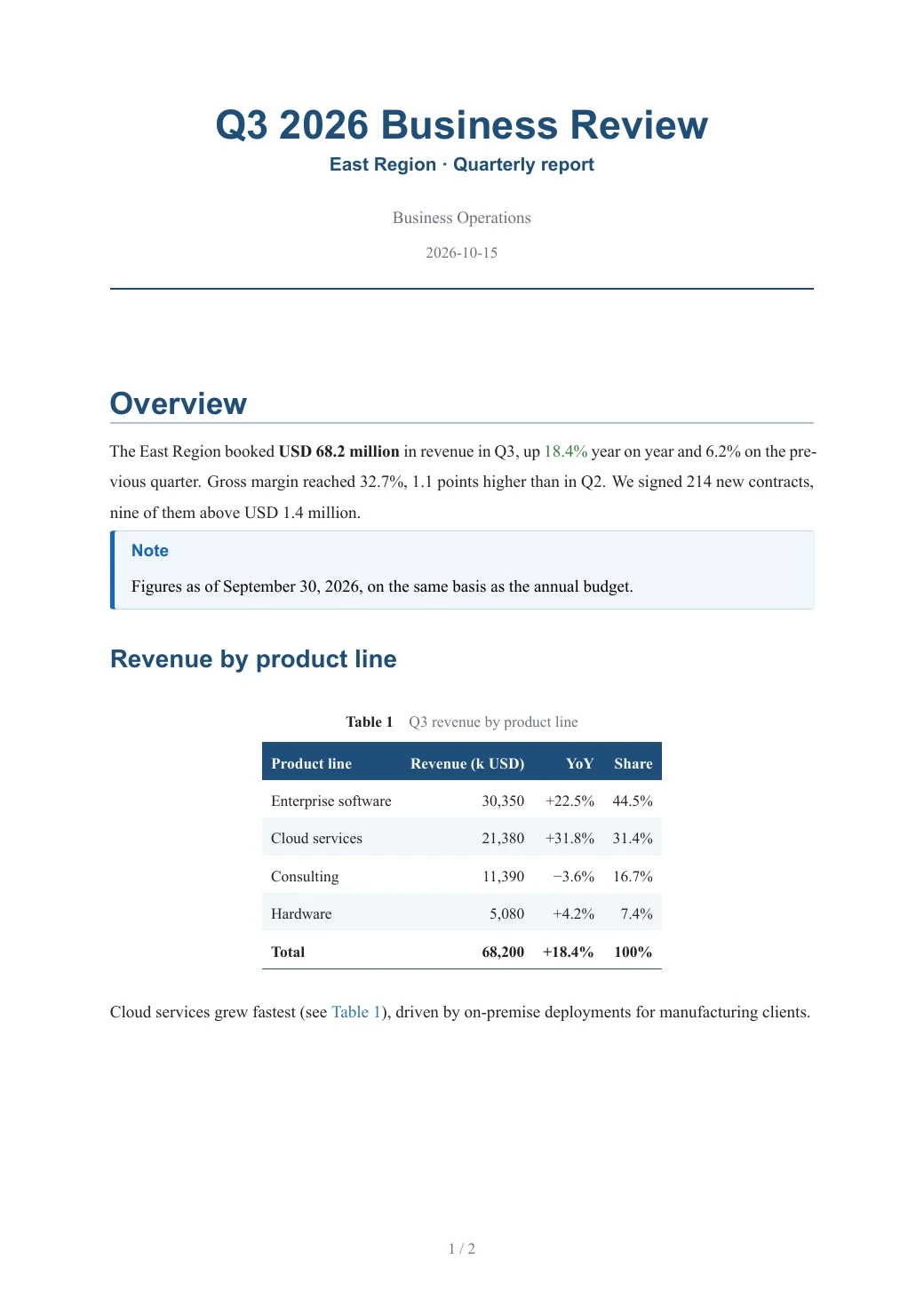
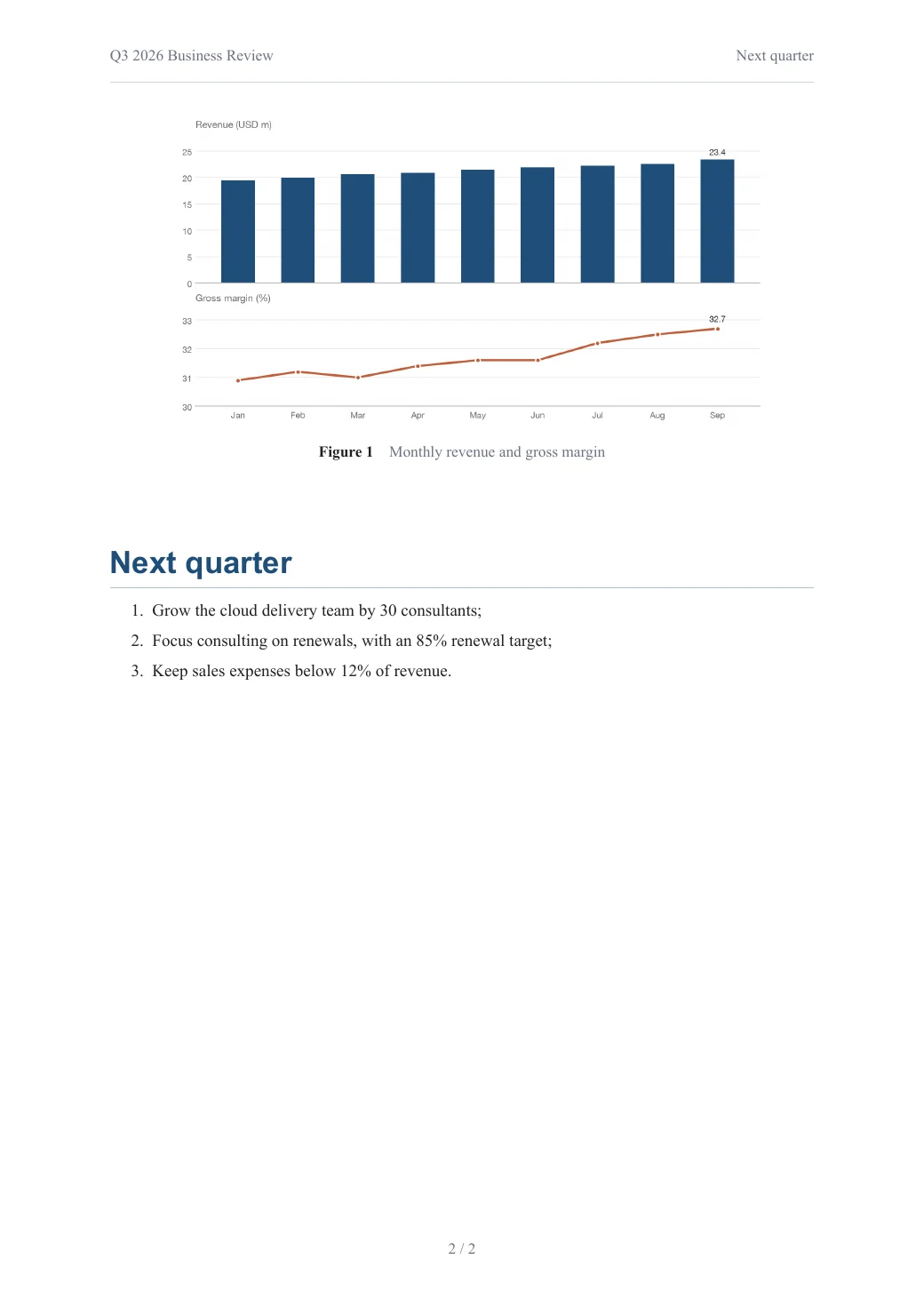
Tables, charts, callouts and page numbers, from plain Markdown.
Open this PDF ↗Also delivered as an editable Word file
---
title: Northwind Smart Campus Feasibility Study
subtitle: Draft for review
date: 2026-10-20
client: City Renewal Authority
report-no: NW-2026-018
---

# Project overview

Northwind Smart Campus sits on 38.6 hectares in the east of the high-tech zone, with 520,000 m² of floor area for R&D offices, pilot plants, staff housing and services. Construction takes 36 months.

# Why build it

The campus is expected to create about 12,000 jobs and USD 1.2 billion of annual output, strengthening the region's innovation chain.

…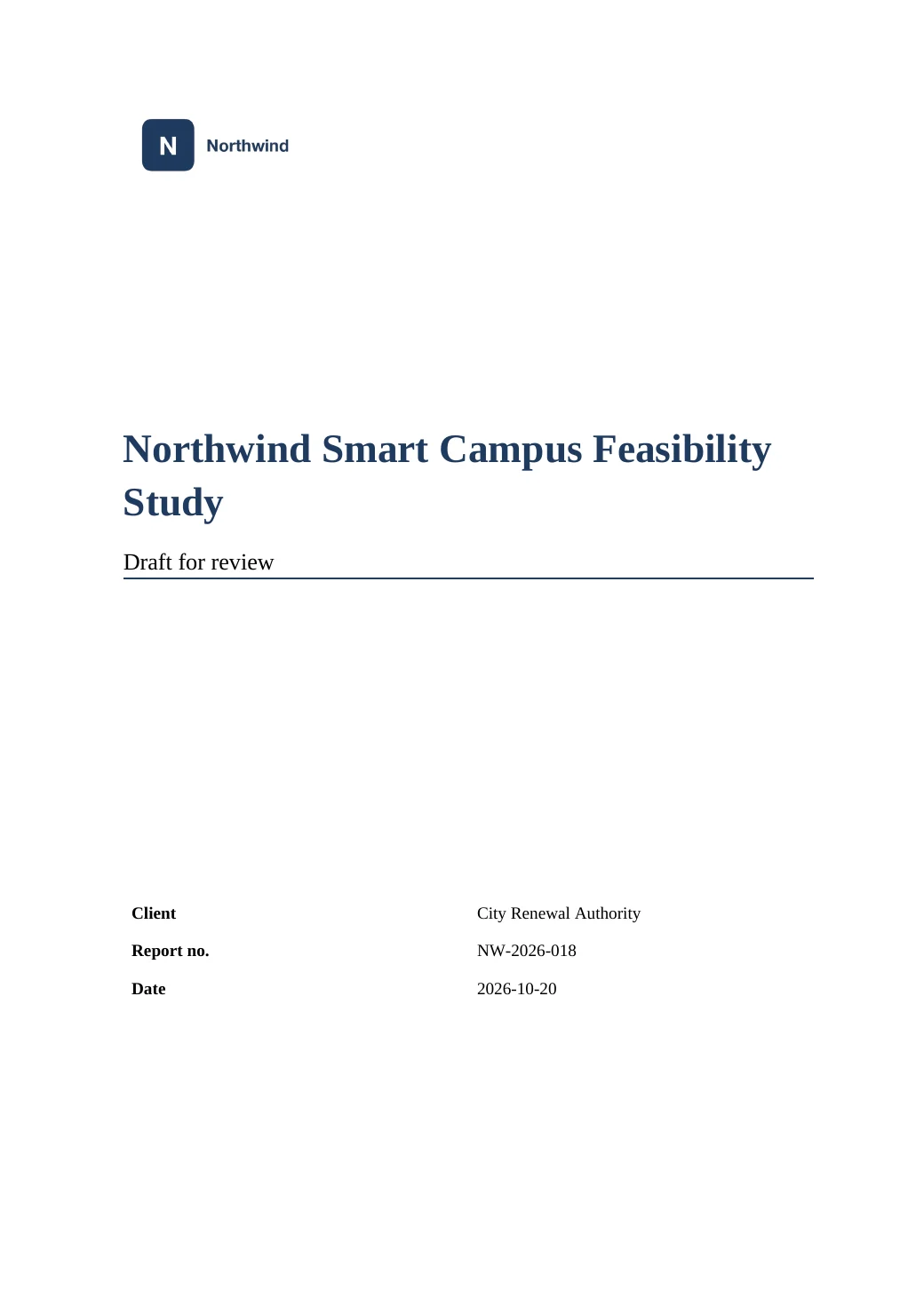
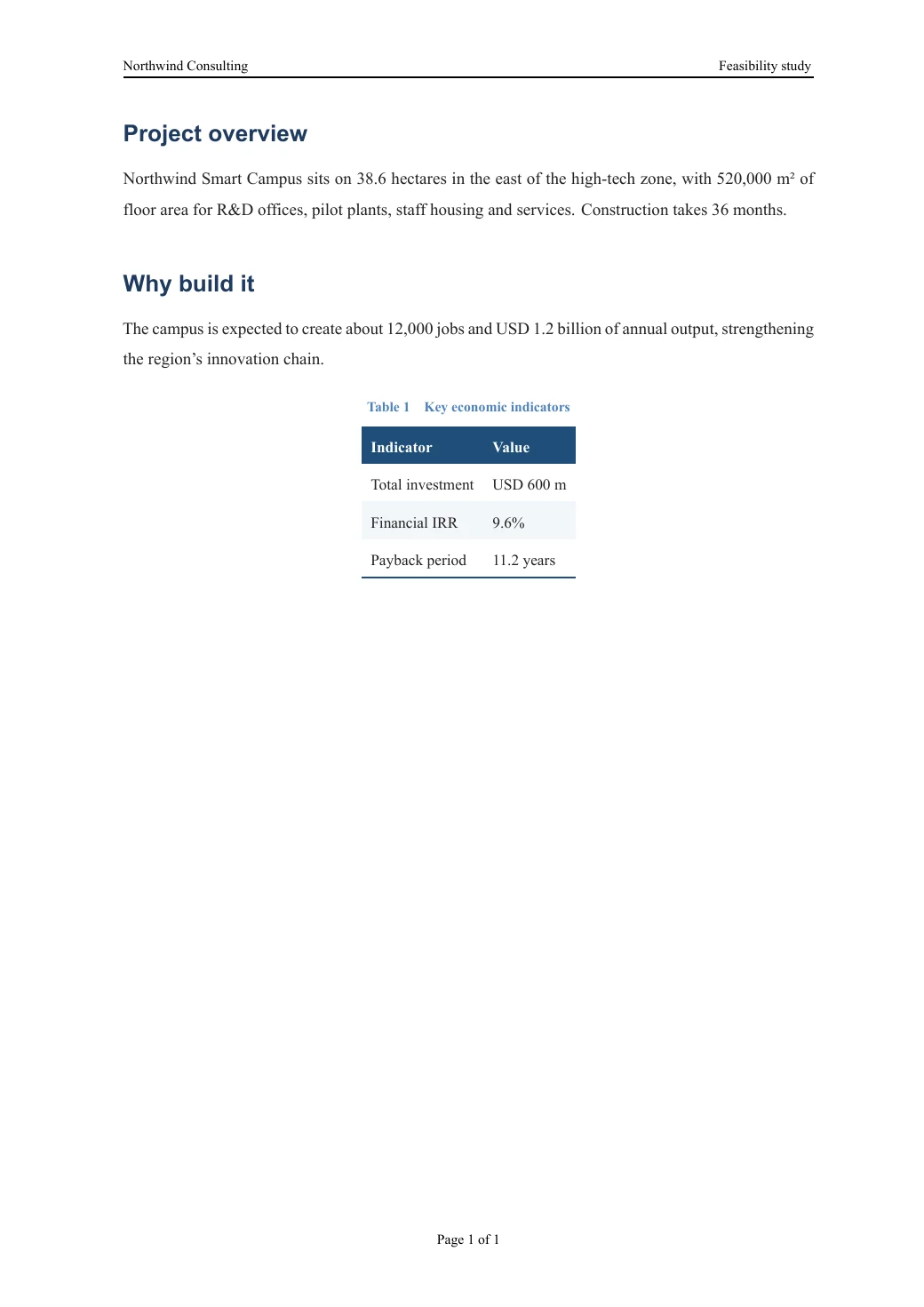
Your company template's cover, logo and header, with the values filled in from the document.
Open this PDF ↗Also delivered as an editable Word file
Browse all examples, with PDF, Word and source to download →
Real styles
Headings, captions, quotes and lists use Word styles, so the navigation pane and table of contents work.
Editable equations
Math becomes native Word equations — not pictures — and keeps its numbering.
Tables that behave
Merged cells, header rows that repeat on each page, and column widths fitted to the content.
Fonts for your readers
Windows / WPS or Mac font names, including Chinese fonts such as SimSun, SimHei and KaiTi.
How it works
- 1
Add your document
Drop the .md file with its images, or paste the text.
- 2
Pick Word fonts
Choose Windows / WPS or Mac font names under More options, so it looks right on the reader's computer.
- 3
Download the .docx
Open it in Word or WPS. When asked to update fields, choose Yes to refresh the table of contents.
Questions and answers
Will the Word file look exactly like the PDF?
The content, styles and numbering are the same. Word paginates on the reader's computer, so page breaks can differ slightly.
Can I edit the table of contents?
Yes. It is a normal Word table of contents: right-click it and choose Update Field after editing.
Does it work with WPS?
Yes. Choose “Windows / WPS” under Word fonts (the default).
Can I convert Word back to Markdown?
Yes. Upload a .docx: the result includes an editable Markdown file with its images.