
Markdown, ready to deliver
as PDF and Word
Book-quality typesetting with flawless Chinese text. Markdown, Word and PDF convert both ways, with tables, equations and references out of the box.
- Free, no account
- Files deleted after 2 hours
- PDF and editable Word
- 6 languages
Drop files or a folder
.md · .docx · .tex · .pdf · .zip — include images and refs.bib
The PDF is re-typeset in the style you choose — headings, lists, tables, pictures and text colors are kept.
If ticked, this PDF is sent to SoMark's free recognition service (free-oxr.somark.ai); this usually takes 30–90 seconds. Unticked, it stays on this site. Privacy
Public repositories. Paste the address of a .md file, a folder or a repository (its README is used). Pictures the file uses are fetched too.
Optional. Follows its page setup, fonts and styles, its headers and footers as in Word (odd / even and first pages, tables, logos, watermark) and page numbers. A cover or letterhead in it is used too: mark the values with {{title}}, {{date}}… and the place of your text with {{body}}.
More options
Done
The conversion didn't finish
Write Markdown. Deliver real documents.
Every page here was typeset by this converter from the source beside it. Nothing retouched.
---
title: Q3 2026 Business Review
subtitle: East Region · Quarterly report
author: Business Operations
date: 2026-10-15
---

# Overview

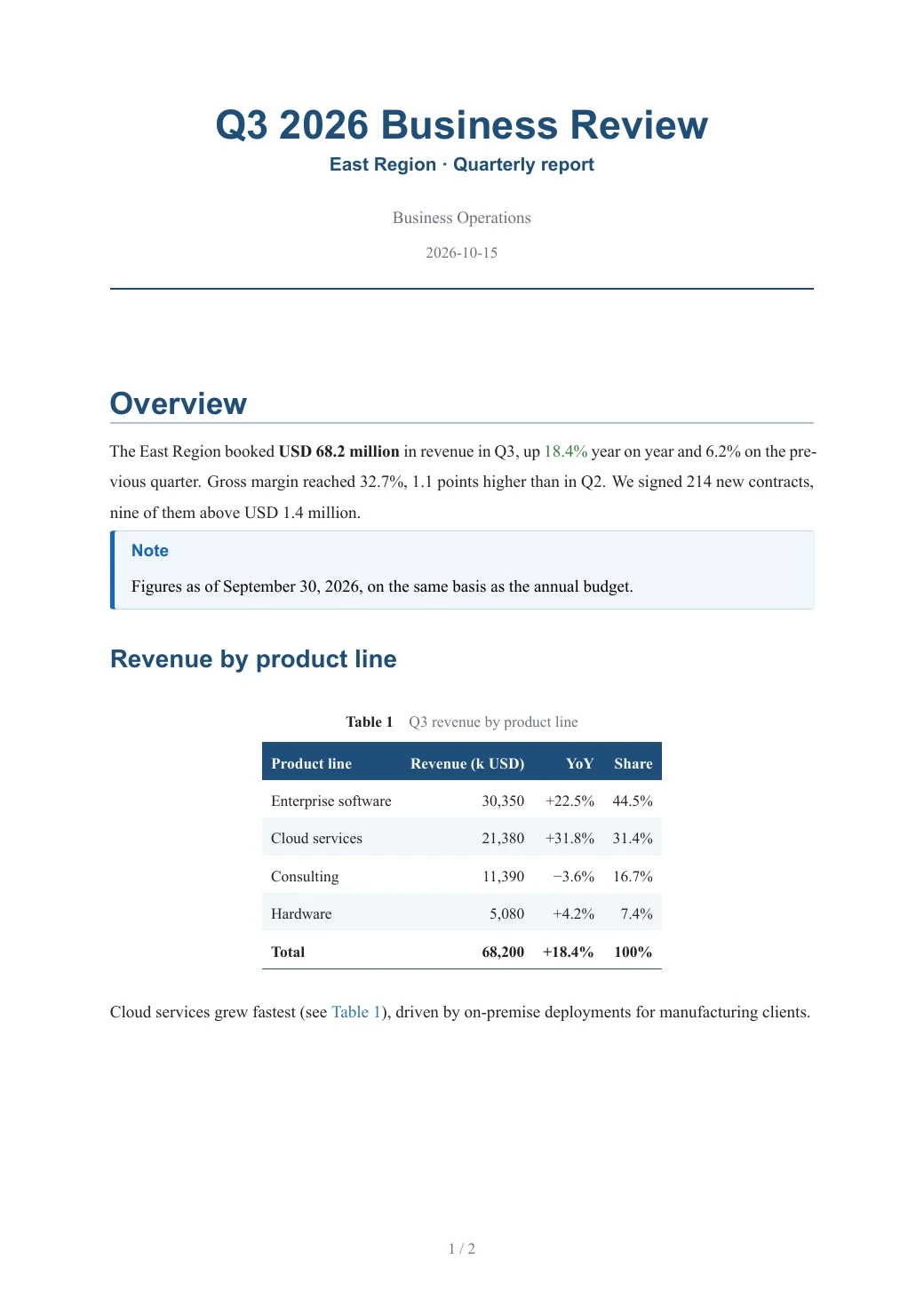
The East Region booked **USD 68.2 million** in revenue in Q3, up [18.4%]{color=green} year on year and 6.2% on the previous quarter. Gross margin reached 32.7%, 1.1 points higher than in Q2. We signed 214 new contracts, nine of them above USD 1.4 million.

> [!NOTE]
> Figures as of September 30, 2026, on the same basis as the annual budget.

## Revenue by product line

…
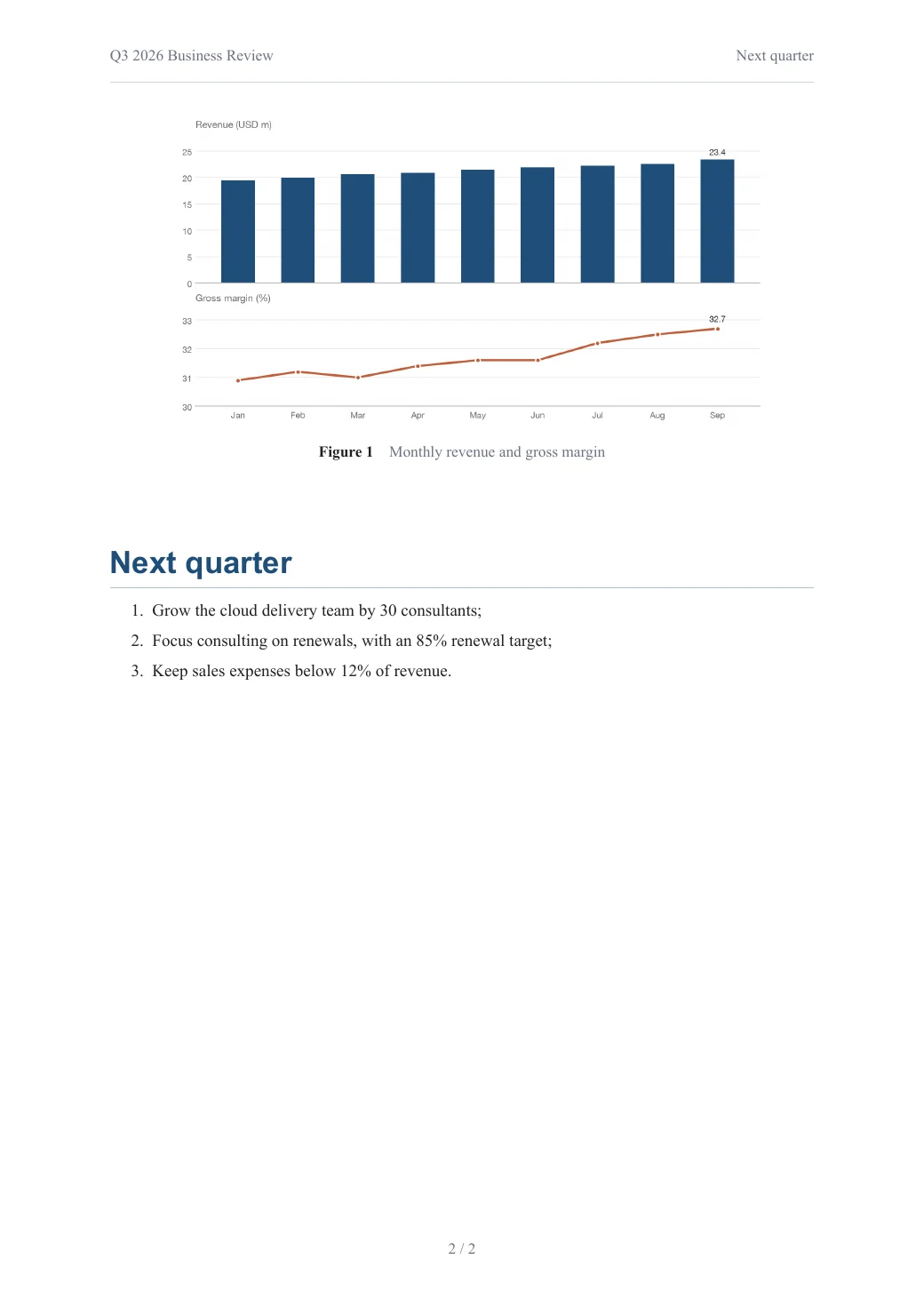
Tables, charts, callouts and page numbers, from plain Markdown.
Open this PDF ↗Also delivered as an editable Word file
---
title: Spatial Variation of Housing Prices and Its Drivers
author: Ming Wang, Hua Li
date: September 2026
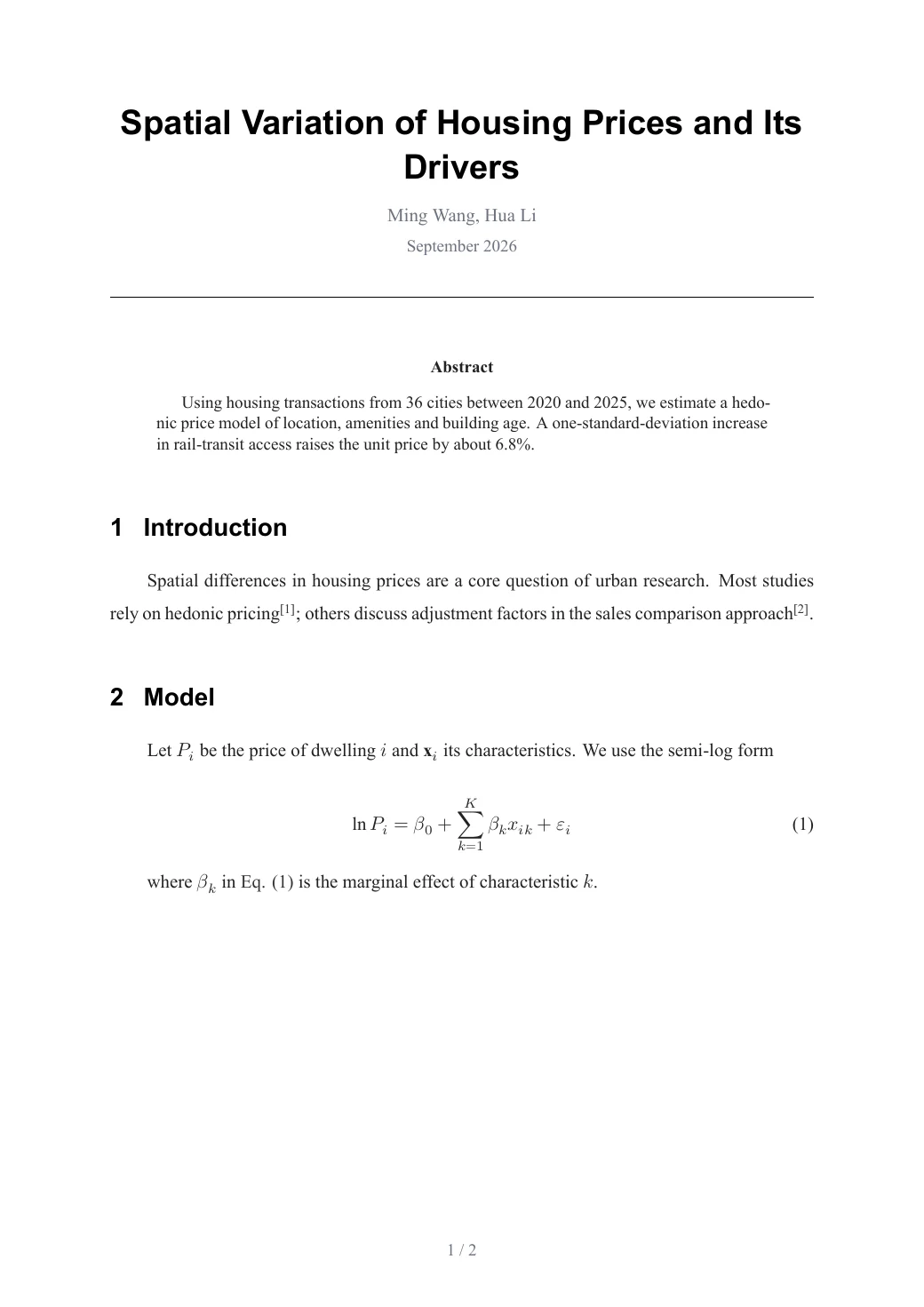
abstract: Using housing transactions from 36 cities between 2020 and 2025, we estimate a hedonic price model of location, amenities and building age. A one-standard-deviation increase in rail-transit access raises the unit price by about 6.8%.
bibliography: refs.bib
---

# Introduction

Spatial differences in housing prices are a core question of urban research. Most studies rely on hedonic pricing [@smith2021]; others discuss adjustment factors in the sales comparison approach [@zhang2024].

# Model

Let $P_i$ be the price of dwelling $i$ and $\mathbf{x}_i$ its characteristics. We use the semi-log form

…
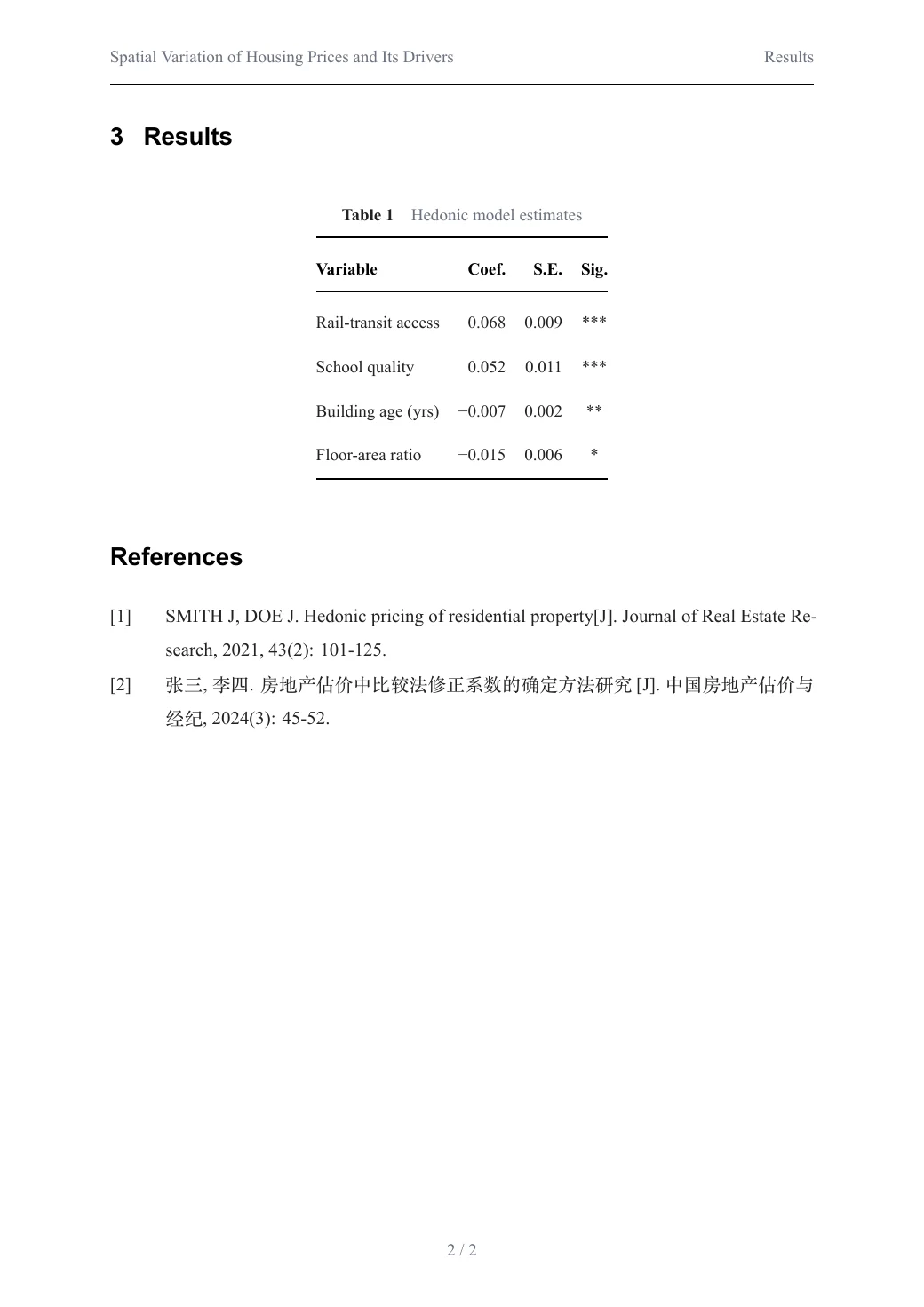
Numbered equations, three-line tables and references from a .bib file.
Open this PDF ↗Also delivered as an editable Word file
---
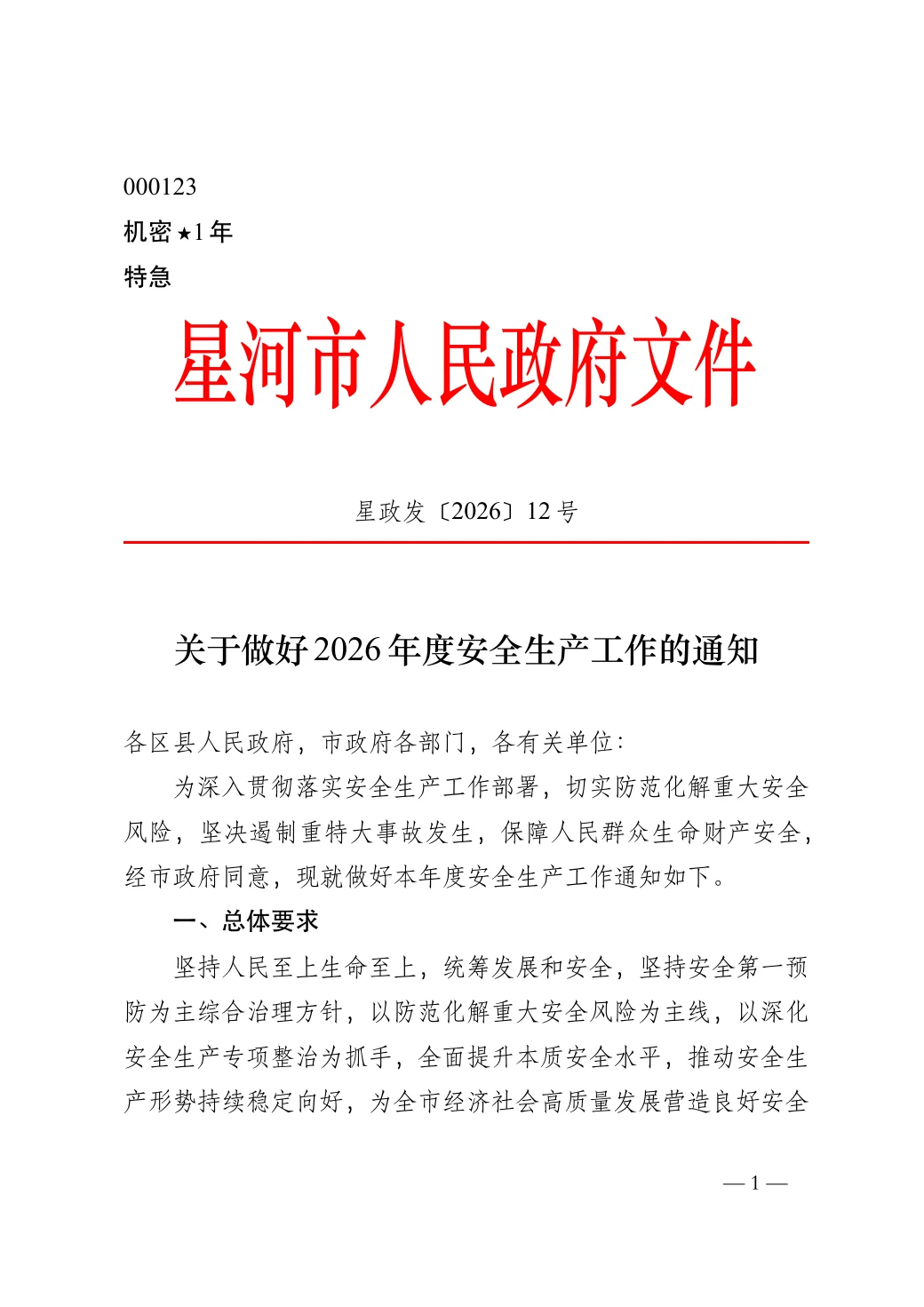
title: 关于做好2026年度安全生产工作的通知
gongwen:
  份号: "000123"
  密级: 机密★1年
  紧急程度: 特急
  发文机关标志: 星河市人民政府文件
  发文字号: 星政发〔2026〕12号
  主送机关: 各区县人民政府,市政府各部门,各有关单位:
  发文机关署名: 星河市人民政府
  成文日期: 2026-10-24
  附注: (此件公开发布)
  抄送: 市委各部门,市人大常委会办公室,市政协办公室,市中级人民法院,市人民检察院,各人民团体。
  印发机关: 星河市人民政府办公室
  印发日期: 2026-10-24
---
…
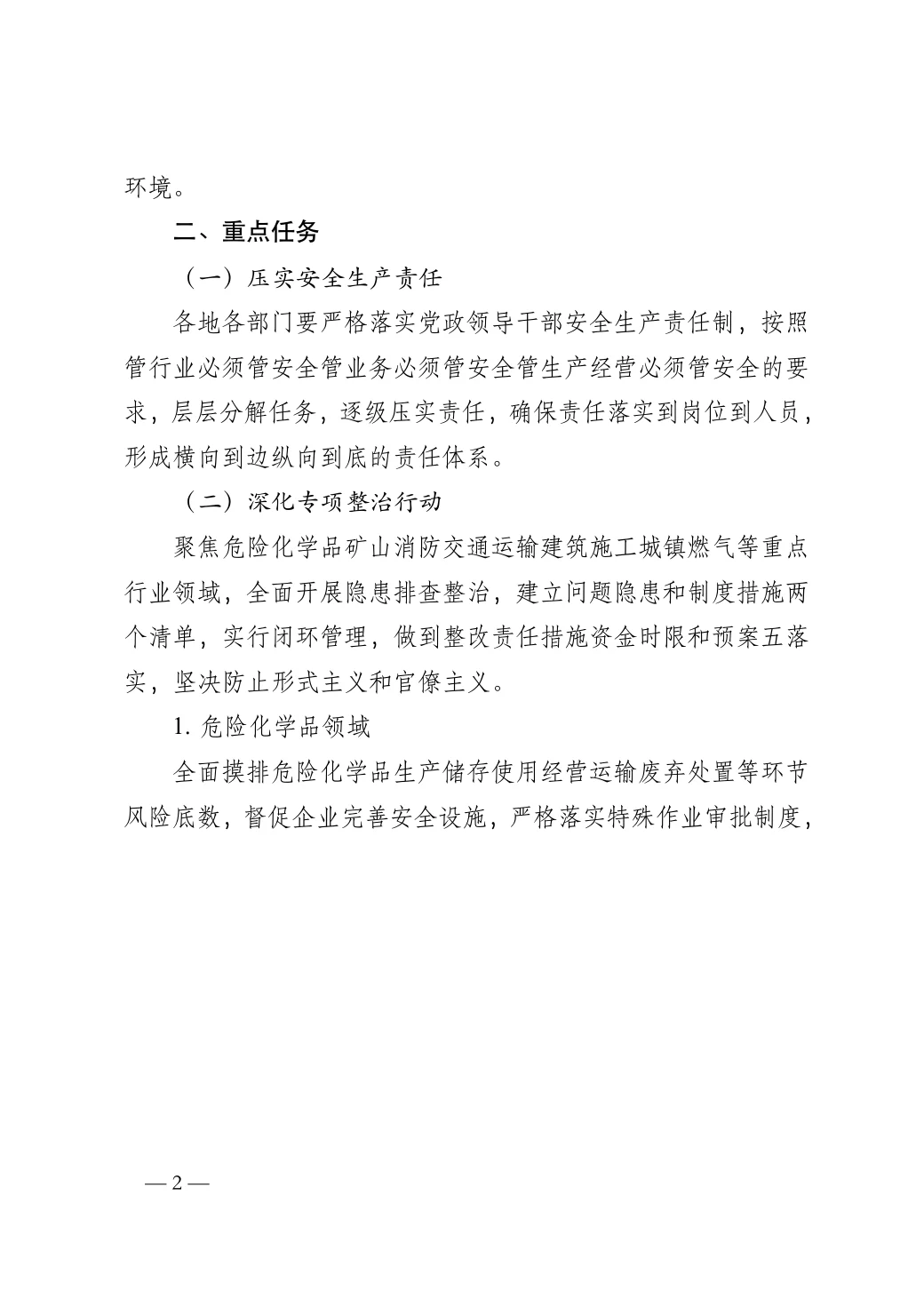
Chinese official document to GB/T 9704: red header, document number, layout grid.
Open this PDF ↗Also delivered as an editable Word file
---
title: Northwind Smart Campus Feasibility Study
subtitle: Draft for review
date: 2026-10-20
client: City Renewal Authority
report-no: NW-2026-018
---

# Project overview

Northwind Smart Campus sits on 38.6 hectares in the east of the high-tech zone, with 520,000 m² of floor area for R&D offices, pilot plants, staff housing and services. Construction takes 36 months.

# Why build it

The campus is expected to create about 12,000 jobs and USD 1.2 billion of annual output, strengthening the region's innovation chain.

…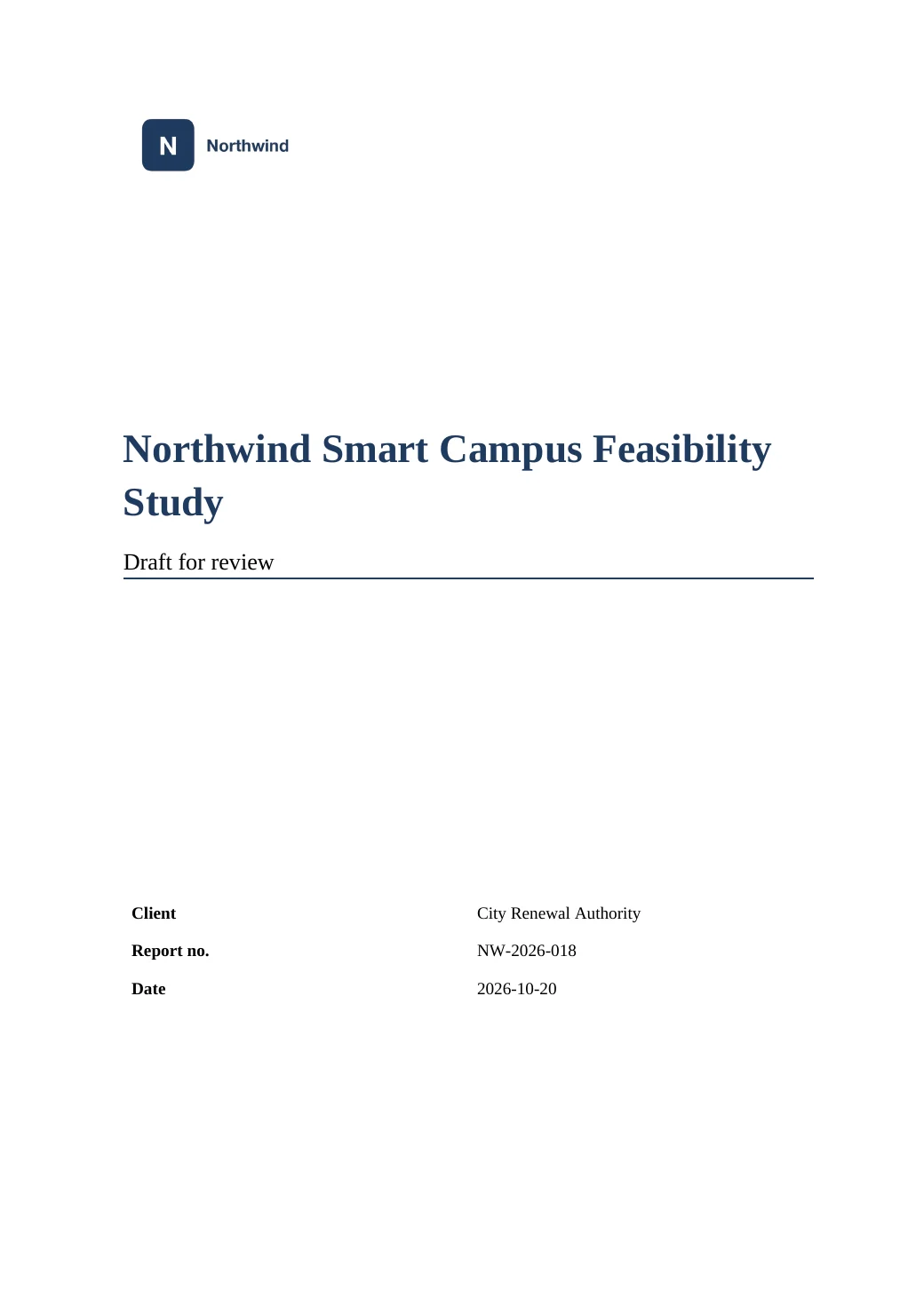
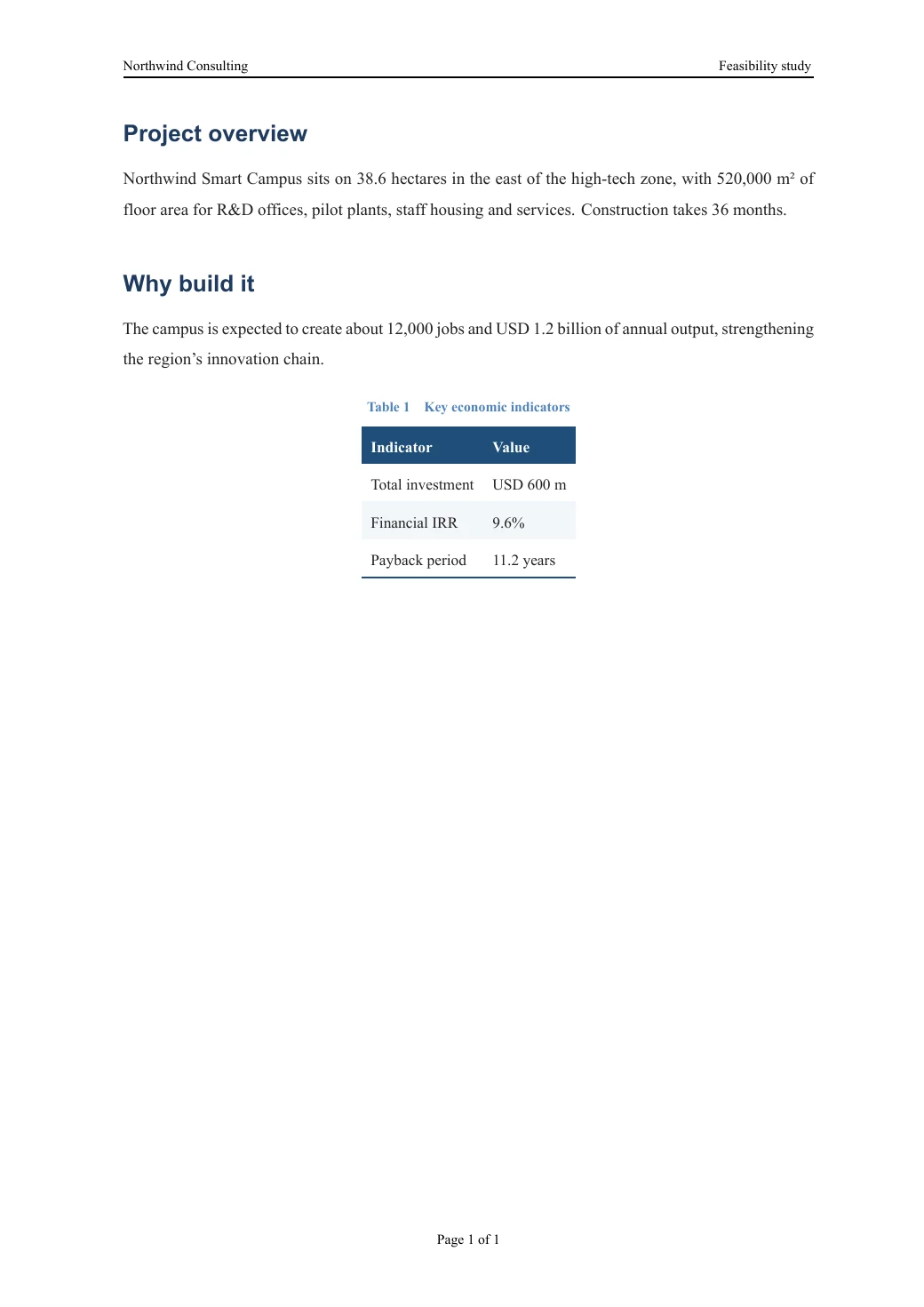
Your company template's cover, logo and header, with the values filled in from the document.
Open this PDF ↗Also delivered as an editable Word file
Browse all examples, with PDF, Word and source to download →
From file to finished document in seconds
Drop a folder, pick a style, download. Nothing to install.
Screen recording: a Markdown report and its chart are dropped onto the page, converted, and downloaded as PDF and Word.
A PDF you can deliver
Professionally typeset, fonts embedded — identical on every device.
Word you can keep editing
Heading styles, table of contents, captions and numbering stay editable in Word and WPS.
Deleted after use
No sign-up. Files are used only for this conversion and deleted after 2 hours.
Use it from your AI assistant
In any MCP client, add this address — no token needed.
https://mdpdfword.com/mcpclaude mcp add --transport http md-to-pdf-word https://mdpdfword.com/mcp -s user# ~/.codex/config.toml
[mcp_servers.md-to-pdf-word]
url = "https://mdpdfword.com/mcp"
tool_timeout_sec = 300{
"mcpServers": {
"md-to-pdf-word": {
"url": "https://mdpdfword.com/mcp"
}
}
}Then just ask: “Convert plan.md in this folder to PDF and Word.” The assistant uploads the files, converts them and saves the results. Learn more
Made to be relied on
Private by default
Files are used only for your conversion and deleted after 2 hours, or right away when you choose. Nothing is used for training.
Free, without an account
Open the page and convert. No sign-up, no watermark, no trial.
Help when you need it
Feedback goes straight to the developer. Common questions, a writing guide and step-by-step articles are one click away.
Checked before every release
More than 600 automated checks — fonts, layout, tables, equations, Word files — run before each update goes live.
Questions and answers
Is md-to-pdf-word free?
Yes. It is free to use without an account. Each visitor can run up to 30 conversions per hour.
What happens to my files?
They are used only for your conversion and deleted automatically after 2 hours. You can also delete them right after downloading. Nothing is used for training or shared.
Which files can I convert?
Markdown (.md), Word (.docx), LaTeX (.tex) and PDF (.pdf) files — on their own, as a folder, or as a .zip with their images and .bib files. You can also paste Markdown text or a link to a Markdown file on GitHub. Word, LaTeX and PDF files can also be turned back into editable Markdown.
Does the Word file stay editable?
Yes. Headings use real Word heading styles, the table of contents and captions are Word fields, and equations become native, editable Word equations.